Home Internet Monitoring · Beta
Is it the Wi‑Fi or the ISP?
HopSense monitors your home internet from your own Windows, Mac or Linux computer. Twice a second it measures your Wi-Fi and the line beyond your router separately, so when the connection slows or drops, you know which one to blame.
Free for up to five computers during the beta. No password, no card.
What HopSense Does
A speed test shows one moment. HopSense watches all the time and tells you whose fault it was.
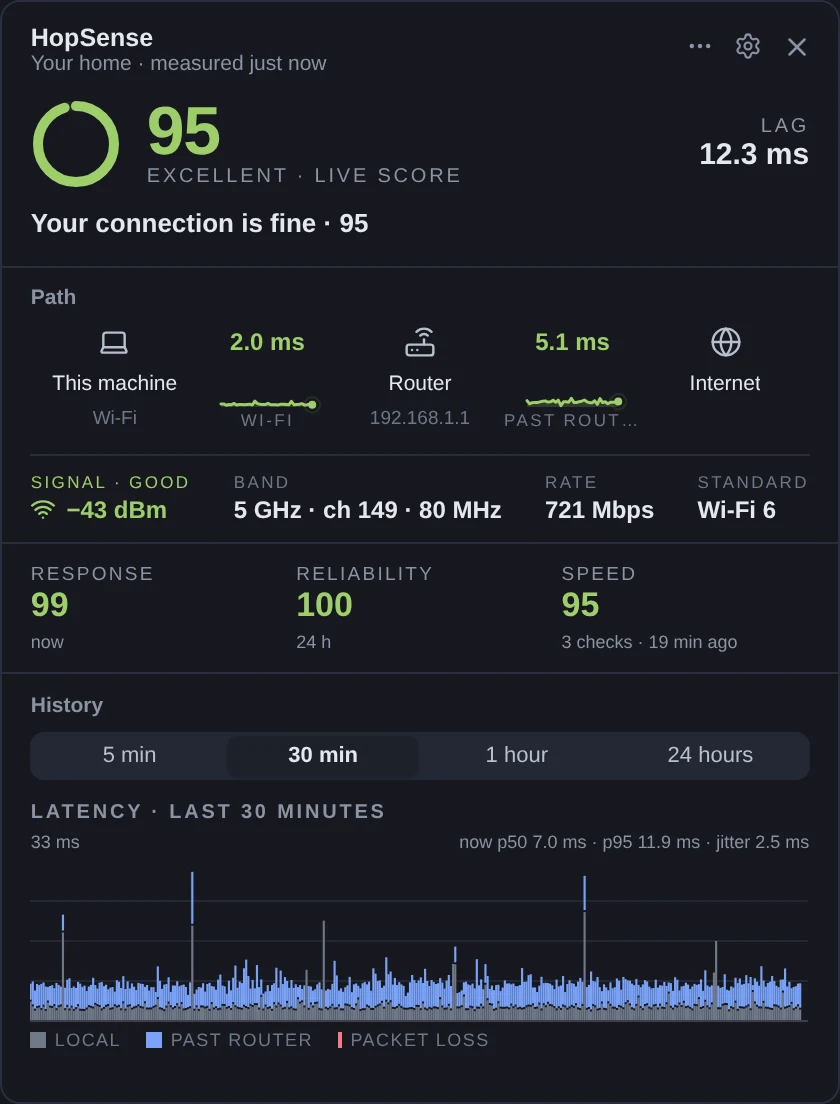
Wi-Fi and ISP, measured apart
Latency, jitter and packet loss on two legs: your Wi-Fi to the router, and the line beyond it. A slow evening gets an address.
A score that names its reason
Zero to a hundred, with a sentence saying whether responsiveness, reliability or speed pulled it down.
Will the call hold?
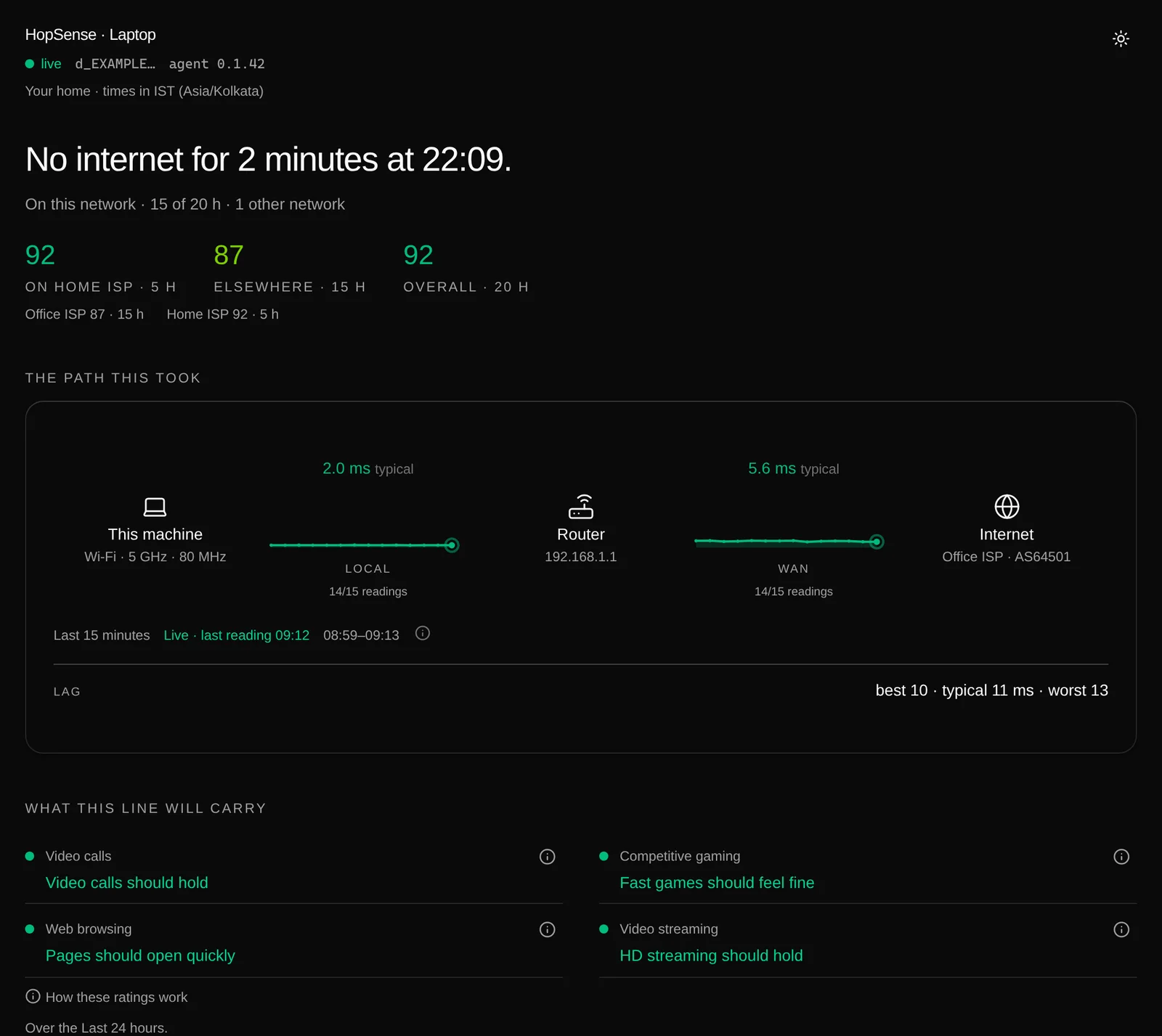
Verdicts for video calls, gaming, browsing and streaming, each with the figure it was decided by.
Outages in seconds
Every outage with a start, an end and the leg it happened on. Sleep, VPNs and hotspots are never counted against your provider.
Your ISP, scored on its own
The home provider is scored apart from the office or café Wi-Fi, so another network never pulls your line down.
Measures the line, not you
Signed summaries only. Never your Wi-Fi name, the sites you visit or your traffic. Data stays in the EU or India.
A sentence, not a graph to interpret
The dashboard leads with what happened, scores your provider apart from everywhere else, and says whether calls, games, browsing and streaming will hold.
Frequently Asked Questions
Is my slow internet the Wi-Fi or my ISP?
How is HopSense different from a speed test?
Is HopSense free?
Which computers does HopSense run on?
Get started at hopsense.net
Sign-up, downloads and support all live there. Running a network? HopSense comes from the team behind NetSense, and can run on your own server for your own subscribers.